Yazi is my preferred terminal file manager, and these are my five essential plugins that improve my workflow.
The Yazi package manager ya will be used to install the plugins mentioned below, which is shipped with Yazi.
For the installation of necessary terminal tools, I will use brew, since I am currently on OSX. For Linux use the equivalents like apt.
1. MediaInfo
The MediaInfo plugin adds detailed information to the preview of media files such as JPG, PNG, and other media formats.
Especially Width, Height and Size is very useful.

Installation:
- Install MediaInfo terminal tool using Brew:
brew install mediainfo - Add the plugin to Yazi:
ya pack -a boydaihungst/mediainfo - Add the necessary configuration to your yazi.toml file.
2. DuckDB
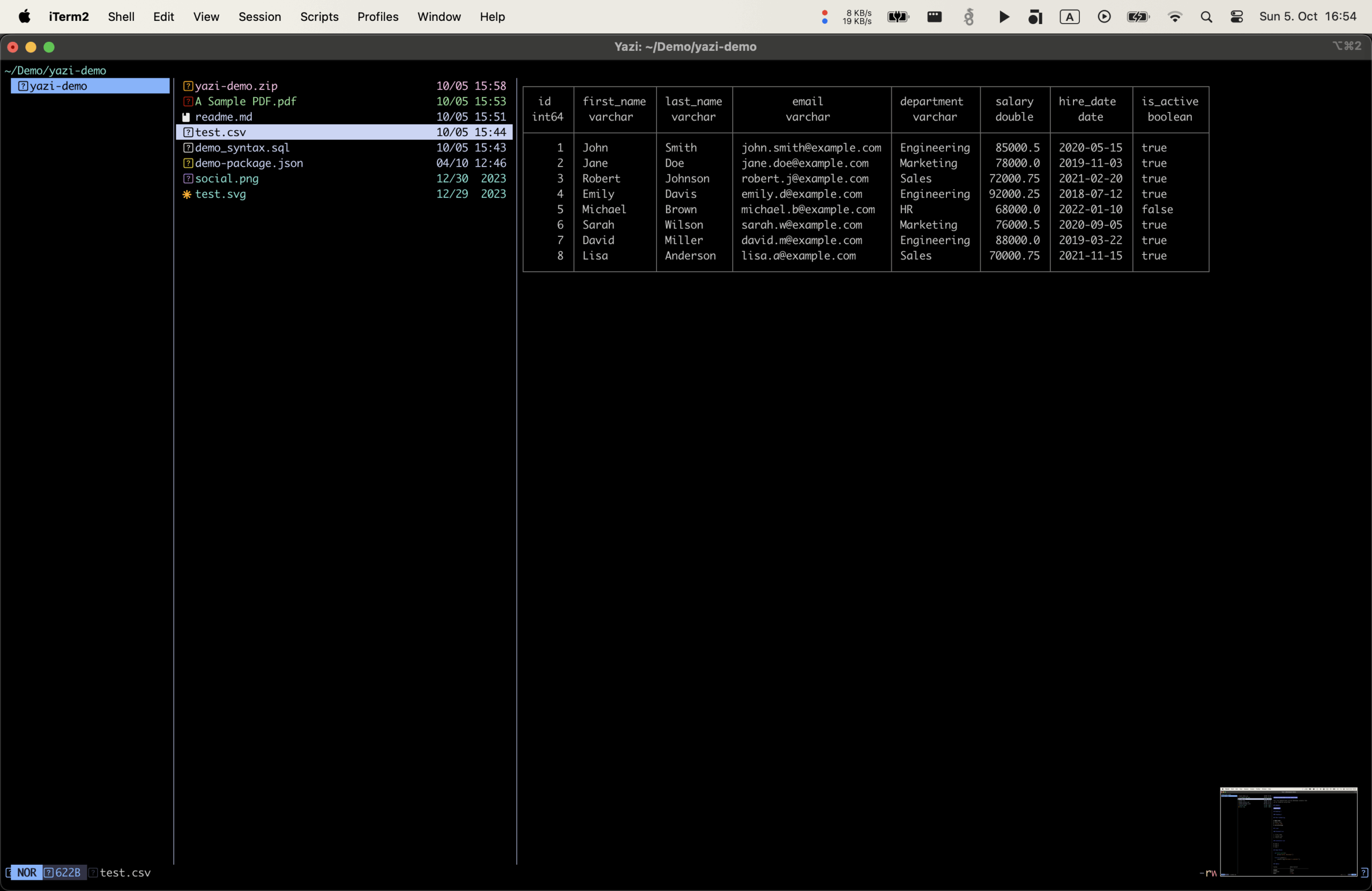
DuckDB.yazi is a plugin for handling CSV, TSV and Parquet files.
It uses DuckDB under the hood for adhoc rendering of the data files.
It can also render JSON files as tables, but I have not enabled this, because I want json files preview to just render json as is.
So I just added the viewers for tsv and csv in yazi.toml:
{ name = "*.csv", run = "duckdb" },
{ name = "*.tsv", run = "duckdb" },
3. Glow Piper
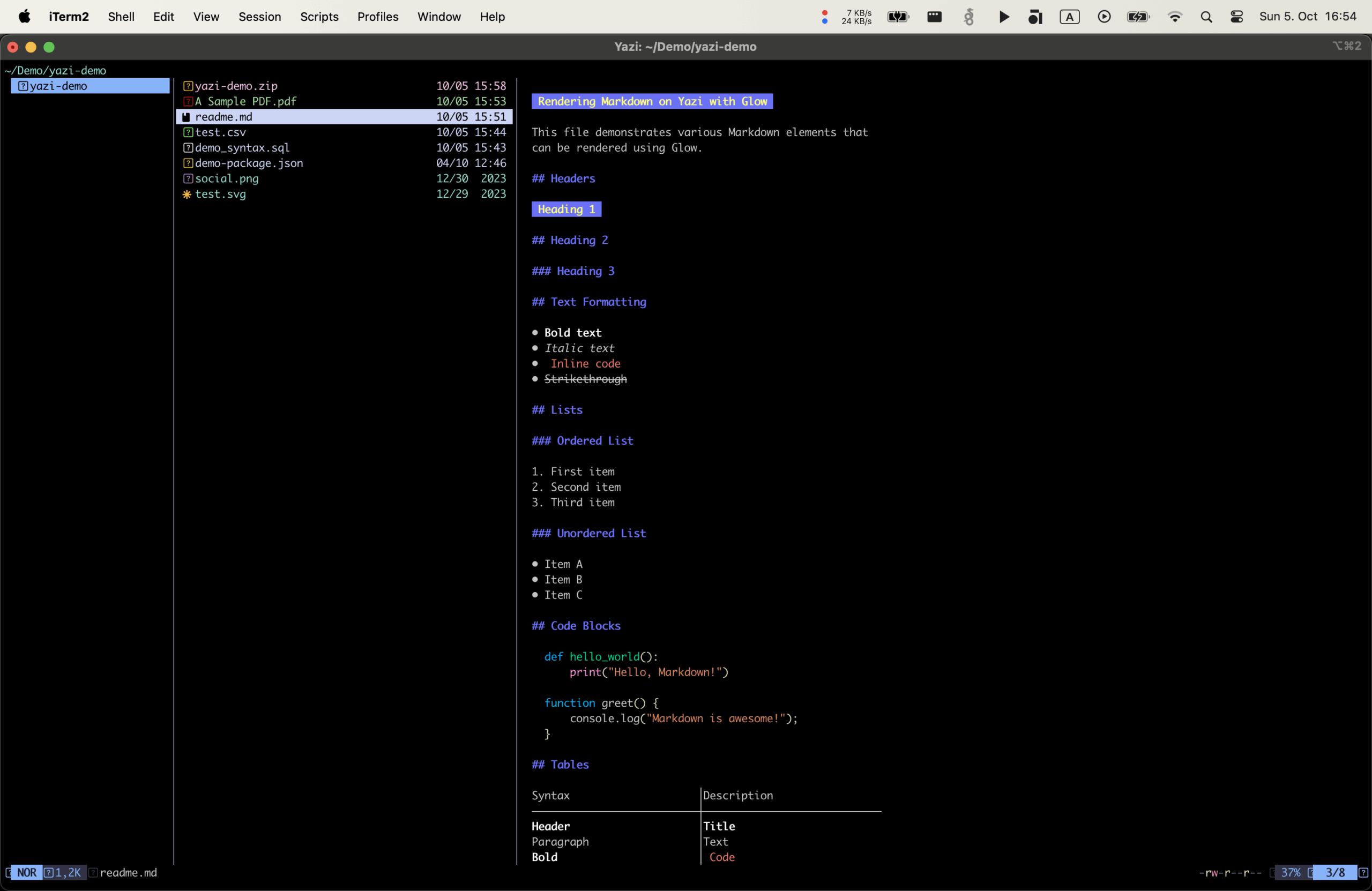
Glow.yazi is a plugin for previewing Markdown files.
I uses terminal markdown renderer Glow.
Installation:
Install Glow:brew install glowAdd the plugin to Yazi:ya pack -a Reledia/glow.yazi
Update!
The yazi.glow plugin is deprecated by now (and will also not work with the latest yazi version anymore) in favour of the new piper.yazi plugin, a general-purpose previewer.
So the recommended plugin to preview Markdown is Piper!
So I promote piper.yazi to an essential Yazi plugin! 😀
Installation:
- Glow is still needed, so install it:
brew install glow - Add the plugin to Yazi:
ya pkg add yazi-rs/plugins:piper
Then add it to the previewers in yazi.toml:
[plugin]
  prepend_previewers = [
    { url = "*.md", run = 'piper -- CLICOLOR_FORCE=1 glow -w=$w -s=dark "$1"' },
.   ...
  ]Code language: JavaScript (javascript)
There is even a faster rework of piper.yazi called faster-piper.yazi which adds a cache layer and better scrolling of prerendered content.
It is faster when you often revisit files. But the first call is a bit slower. You also might have the usual cache related troubles like correct invalidation.
Take this into consideration and choose yourself.
I use faster-piper.yazi and it works flawlessly so far.
4. Ouch.yazi
This plugin uses Ouch for handling zip, tar, and other archive formats.

Installation:
- Install Ouch and 7-zip using Brew:
brew install ouch 7-zip - Add the plugin to Yazi:
ya pack -a ndtoan96/ouch - Add the “C” to your `keymap.toml` file to compress files:
[[mgr.prepend_keymap]]
on = ["C"]
run = "plugin ouch"
desc = "Compress with ouch"
Simply press “Enter” on an archive file should uncompress the archive.
5. OpenWithCmd
OpenWithCmd is a plugin for opening files with specific commands, such as opening a file in LibreOffice. In Finder one would usually use right click “Open with” dialog.
Installation:
- Add the plugin to Yazi:
ya pack -a Ape/open-with-cmd.yazi - Add the “o” and “O” to your `keymap.toml` file to open the OpenWith dialog:
[[mgr.prepend_keymap]]“
on = "o"
run = "plugin open-with-cmd --args=block"
desc = "Open with command in the terminal"
[[mgr.prepend_keymap]]
on = "O"
run = "plugin open-with-cmd"
desc = "Open with command
To open a file in LibreOffice from Yazi, type “o” and enter calc type:soffice --calc in the dialog.
Note that the window might not focus directly, and you may need to check if it is opened in the background.
This plugin overrides the `o/O` keymap, but you can still use `Enter` or `Shift+Enter` to open files directly in the default app.