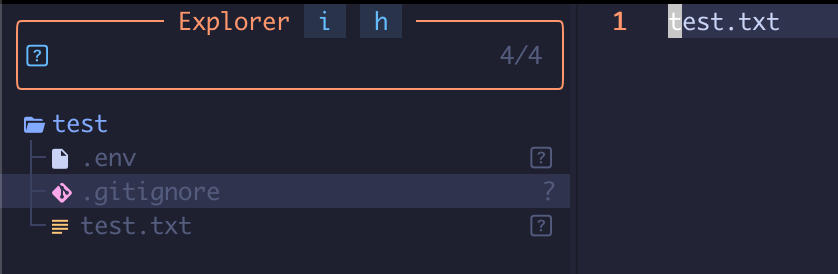
If Neovim or LazyVim is not showing .env file in the file explorer (snacks.nvim), it is very likely because Snacks does not show hidden files by default.
To show hidden files in NeoVim, press Strg H.
If the .env is still not showing then, but .env.example is, then toggle the display of gitignored files.
Files that are in .gitignore, are as well not shown by default in Snacks, the file explorer in NeoVim.
Use Strg I to toggle display of gitignored files.
Note that you need to be in normal mode, when pressing Strg I/H combination.
Strg is for Linux, on OSX it is shift H and shift I.
I just started with NeoVim/LazyVim and it took me a while to figure this out.
The search result that helped me, was buried in some Reddit thread.
So I’m documenting it here for future reference.
This applies of course to all dot files and git ignored files.